
Reading content online is changing.
Many visitors prefer listening instead of reading, whether they are multitasking, have visual difficulties, are learning a language, or simply want a more accessible browsing experience.
For WordPress websites, adding an audio reading feature usually means relying on external services, complex integrations, or heavy plugins.
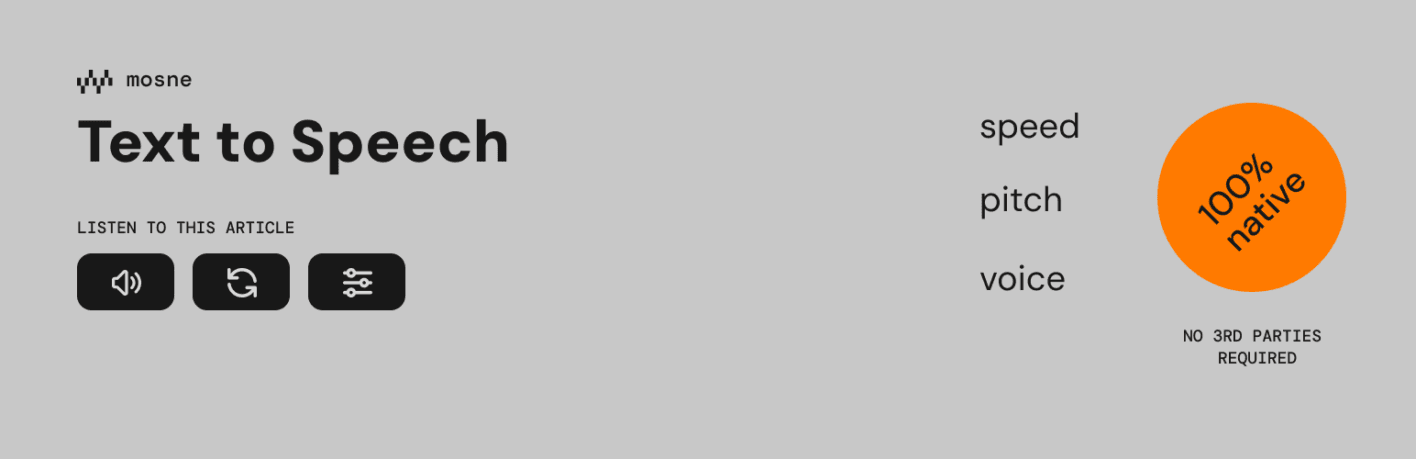
Mosne Text to Speech Block offers a simpler alternative: a lightweight Gutenberg block that allows visitors to listen to your WordPress content directly in their browser.
No external API.
No third-party audio platform.
No additional cookies.
Just native browser speech technology integrated into the WordPress block editor.
Why add text-to-speech to a WordPress website?
Modern websites should be designed for everyone.
A text-to-speech feature can improve the reading experience for:
- Visitors with visual impairments
- Users who prefer audio content
- People browsing on mobile devices
- Users learning a new language
- Visitors who want to consume articles while doing other activities
Accessibility is not only about compliance. It is also about creating better experiences for a wider audience.
Introducing Mosne Text to Speech Block
Mosne Text to Speech Block is a free WordPress plugin that adds a dedicated Gutenberg block for reading page content aloud.
The plugin uses the native Web Speech API available in modern browsers. The spoken language follows the document language and the user’s browser speech preferences.
Because speech processing happens through the browser:
- No external text-to-speech service is required
- No user account is needed
- No API key configuration is necessary
- No third-party cookies are used
This makes the plugin a privacy-friendly solution for adding audio playback to WordPress websites.
Key features of Mosne Text to Speech Block
Native browser text-to-speech
The plugin uses the browser’s built-in speech synthesis capabilities instead of connecting to external services.
This keeps the plugin lightweight and reduces dependencies.
Gutenberg block integration
Mosne Text to Speech Block is built specifically for the WordPress block editor.
After installation, you can add the text-to-speech feature directly from Gutenberg like any other block.
No shortcode.
No complicated setup.
No page builder required.
Sentence highlighting while reading
The plugin can highlight the sentence currently being spoken, making it easier for users to follow along visually.
This creates a better reading experience, especially for accessibility and learning purposes.
Skip specific content
Not every part of a page should necessarily be read aloud.
Mosne Text to Speech Block allows you to exclude specific elements by adding the CSS class:
.skip-speechThis gives editors more control over what visitors hear.
Examples:
- Navigation menus
- Related posts sections
- Advertisements
- Repeated content
- Decorative elements
Accessibility-focused design
The plugin is built with accessibility in mind and provides a simple way to make WordPress content easier to consume.
It can be especially useful for:
- News websites
- Blogs
- Educational websites
- Documentation websites
- Government and public information websites
Lightweight WordPress performance
Many audio solutions rely on external platforms and additional scripts.
Mosne Text to Speech Block focuses on a lightweight approach:
- Native WordPress components
- No external speech service
- No unnecessary block libraries
- Minimal front-end impact
Mosne Text to Speech Block vs traditional audio plugins
Traditional text-to-speech plugins often work by sending your content to a remote service that generates an audio file.
That approach can have advantages, such as premium AI voices, but it can also introduce:
- External requests
- Privacy considerations
- Service dependencies
- Additional costs
Mosne Text to Speech Block takes another approach:
| Traditional TTS services | Mosne Text to Speech Block |
|---|---|
| External API required | Uses browser speech technology |
| May require accounts | No account required |
| May use third-party services | No third-party cookies |
| Often heavier integrations | Native Gutenberg block |
| Audio generation platform | Real-time browser reading |
Who should use Mosne Text to Speech Block?
The plugin is useful for many types of WordPress websites:
Bloggers
Allow readers to listen to long-form articles instead of reading everything on screen.
Educational websites
Help students consume lessons and documentation in another format.
Accessibility-focused websites
Provide an additional way for visitors to access written information.
Documentation websites
Make technical content easier to consume.
Content creators
Offer visitors more flexibility in how they interact with your content.
How to install Mosne Text to Speech Block
Installation is simple:
- Open your WordPress dashboard.
- Go to Plugins → Add New.
- Search for Mosne Text to Speech Block.
- Install and activate the plugin.
- Add the Text to Speech block from the Gutenberg editor.
The plugin is available for free from the official WordPress plugin directory.
Developers can also explore the source code on GitHub:
A simpler way to make WordPress content more accessible
Text content remains one of the foundations of the web, but the way people consume information continues to evolve.
Adding text-to-speech does not mean replacing written content. It means giving visitors another option.
Mosne Text to Speech Block brings this capability directly into WordPress with a lightweight, privacy-friendly, and native Gutenberg approach.
If you want to make your website easier to access and more flexible for your visitors, Mosne Text to Speech Block is a simple feature worth adding.